
Your security stack, finally in one place.
Build a living inventory of the tools you already own — pulled from 970+ mapped security products. The moment you add a tool, FrameworkMapper shows you exactly which controls it covers for the frameworks you're using.
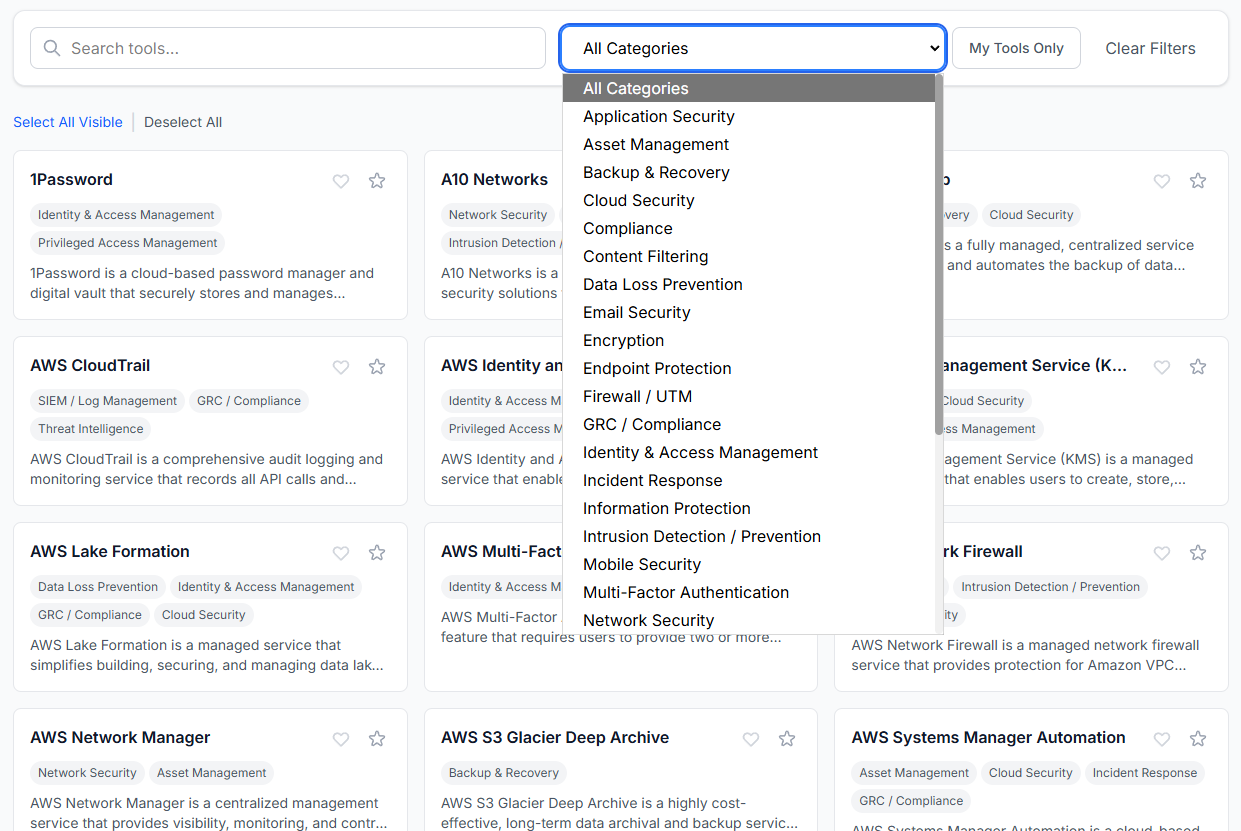
What is Select Tools?
Most teams can't answer a simple question: "What does the security we already pay for actually cover?" Select Tools is where you answer it. Search our catalog, add the products you own, and FrameworkMapper turns that list into a control-by-control picture of your coverage — the foundation for every gap optimization, coverage map, and assessment on the platform.
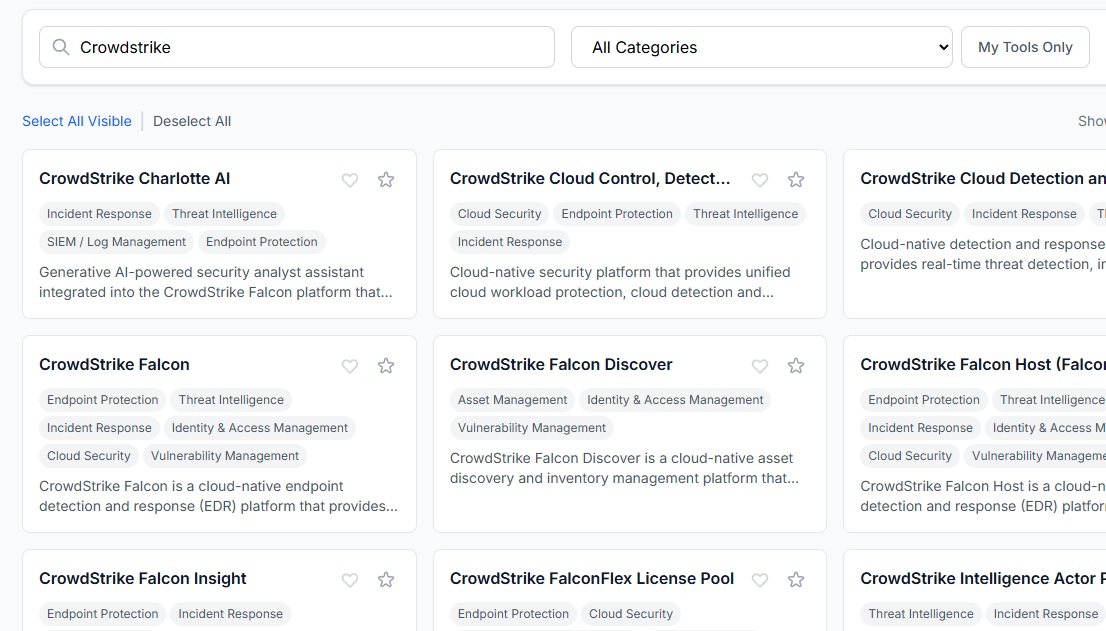
Find any tool by name, vendor, or capability
Type "CrowdStrike," "EDR," or "email security" and add matches to your inventory in one click. With 970+ products already mapped to framework safeguards, the tools you own are almost certainly here.
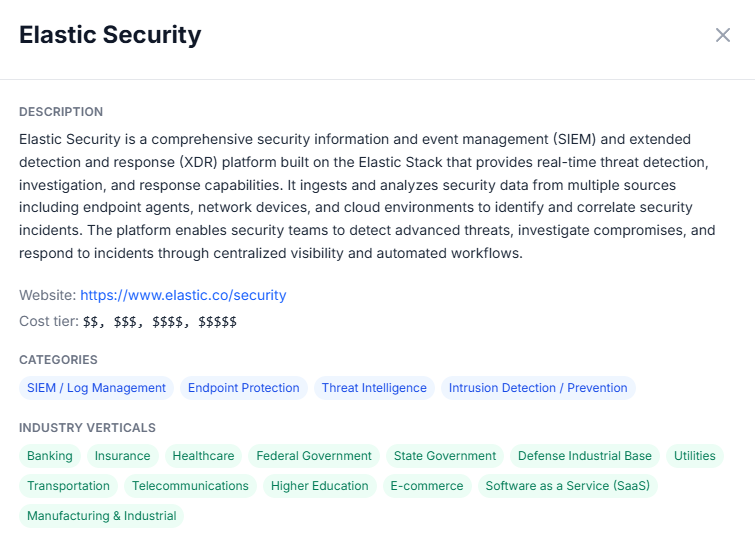
Tool details, displayed and easy to read
Open any product to see the tool description, website, cost tier, categories and industry verticals. Verify or learn more about any tool in our catalog.
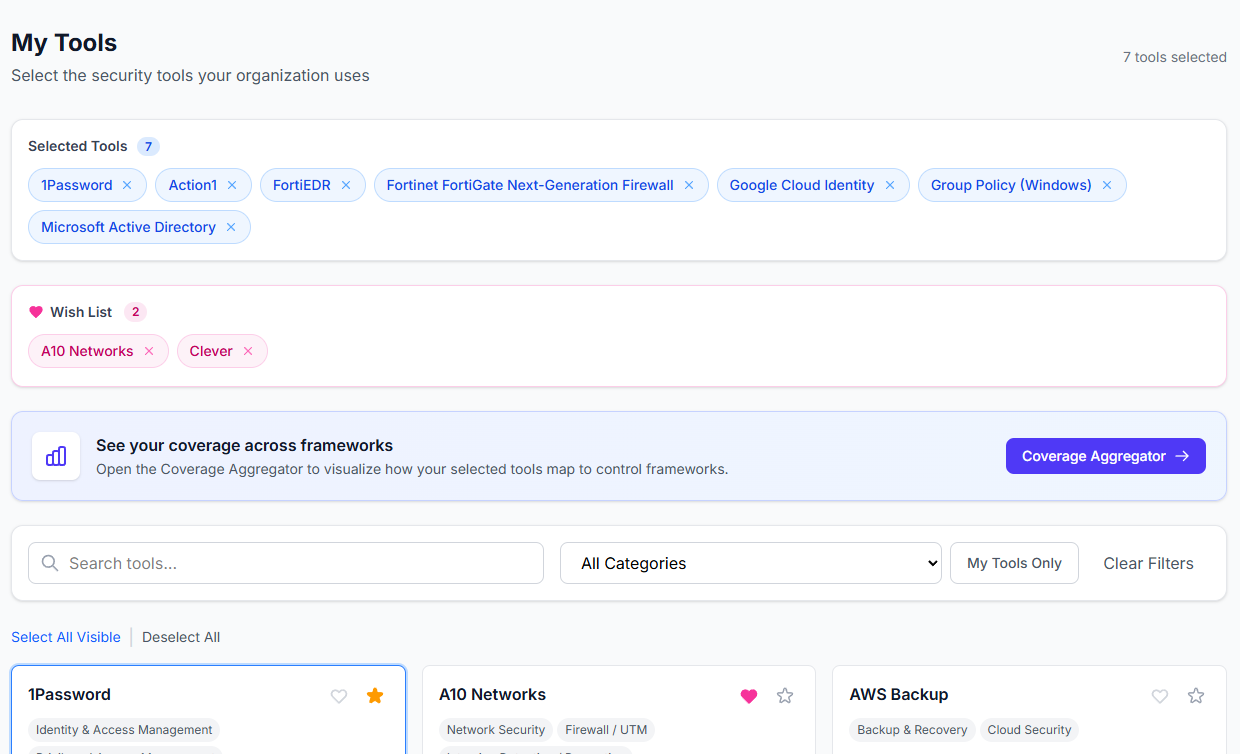
A saved inventory that powers everything else
Your tool list is saved to your account and feeds straight into the Coverage Aggregator, Gap Optimization, and assessment reports. Build it once, and the rest of FrameworkMapper goes to work for you.
See your real coverage in minutes.
Create a free account, add the tools you already own, and find out exactly where you stand against CIS, CMMC, and NIST.
Create Your Free AccountAlready have an account? Sign in